Animation
Short version: the players are moved by recorded motion: running and walking captured from real people, and tennis strokes. These animations were made for other skeletons, so the game retargets them onto its players. While running, several running animations are blended by speed and direction, all kept in step so the feet never slide. A stroke plays on top of the running and is started at exactly the right moment, so that the racket arrives when the ball does.
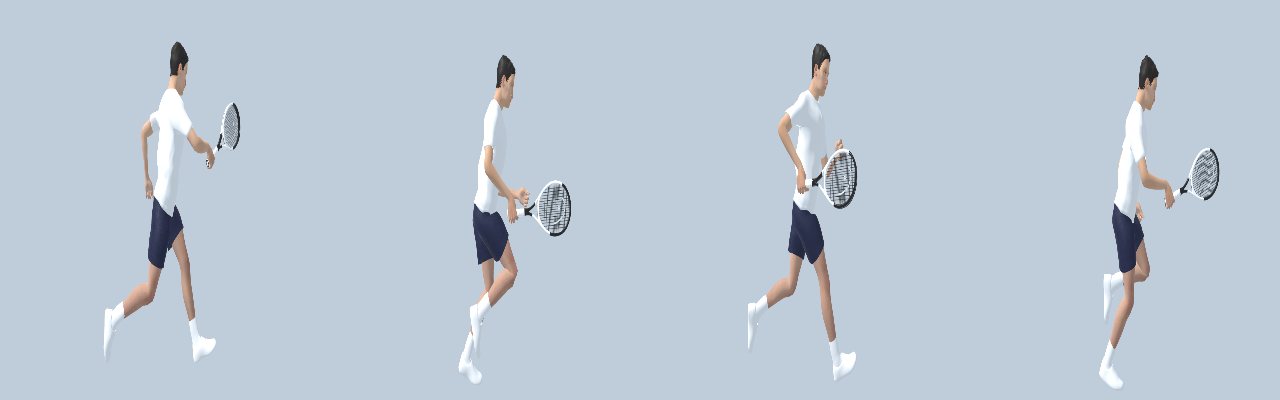
The skeleton and retargeting
Every player has the same skeleton: a humanoid rig with about 150 bones, including fingers and a special bone in the right hand that holds the racket.
Animations from elsewhere (for example the motion-captured locomotion) use other skeletons, with other bone names and other rest poses. Godot’s retargeting maps both onto a common humanoid profile (hips, spine, upper arm, …), so an animation made for one humanoid can play on another. The import of these animations then fixes what retargeting alone cannot:
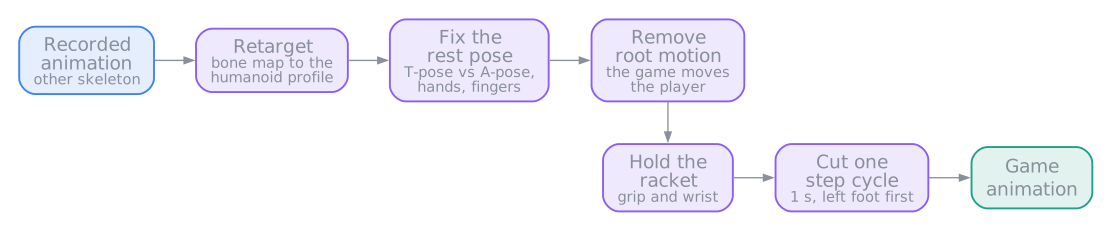
- Rest pose: the recorded skeleton stands in a T-pose (arms straight out), the players in an A-pose (arms down at an angle). Copying rotations alone would put the arms through the body, so every bone is turned to point the same way as in the recording.
- Root motion: the recordings walk forward through space. The game removes that travel, because the game itself moves the player. The animation only makes the body look like it runs.
- The racket hand: the right hand keeps the grip from the tennis ready pose, with the fingers around the handle. Its wrist is turned so the racket points forward and slightly up at the middle of the arm swing, and it takes up half of the swing so the racket head stays clear of the legs.
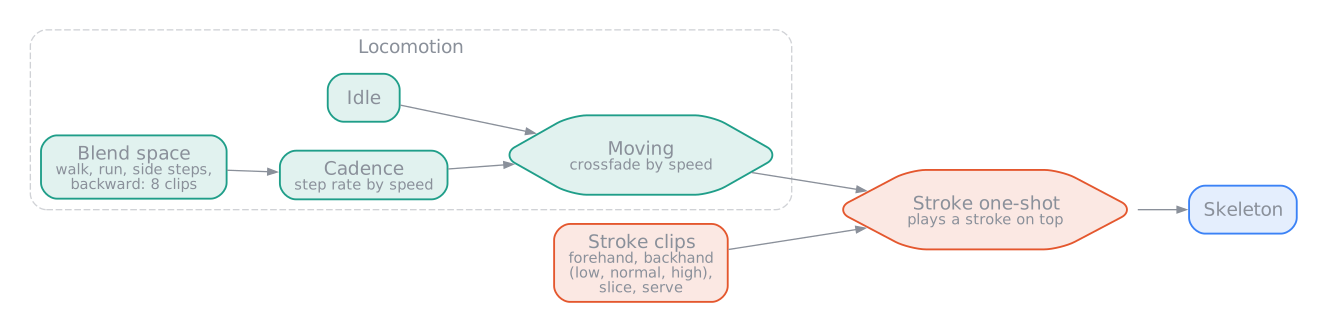
The animation tree
Blending the running
The blend space places each running animation at the speed and direction it was recorded at. The game feeds in the player’s actual velocity, and the animations around that point are mixed. Below walking speed, the standing (idle) animation fades in.
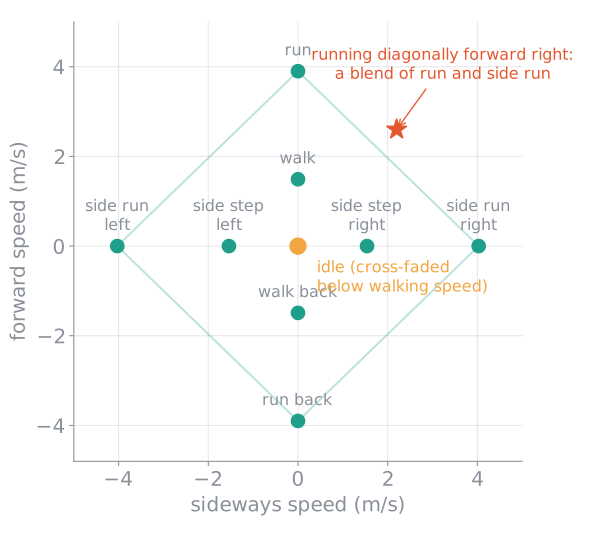
Keeping the feet in step
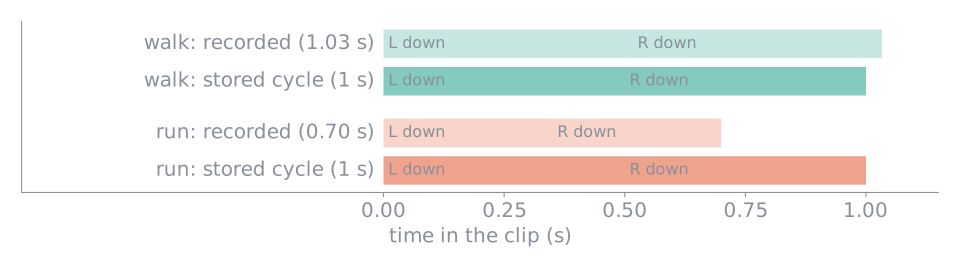
Mixing a walk and a run only works if both are at the same point of the step: left foot down in one while the right foot is down in the other would look like a stumble. So every clip is cut to exactly one step cycle, stretched to 1 second, and starts at the moment the left foot touches down. Played together in sync, all clips always agree on which foot is down.
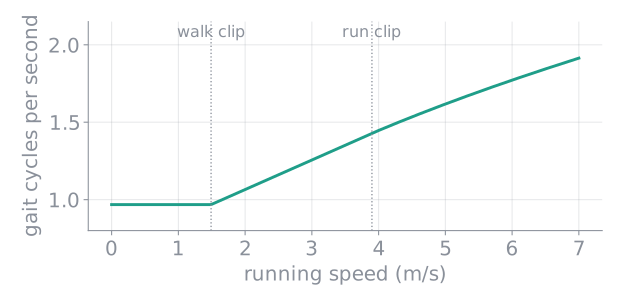
How fast the cycle plays (the cadence) follows the running speed: between the walk’s and the run’s own step rate, and beyond the run a little faster still. Longer strides do the rest, just like a real runner.
Strokes that meet the ball
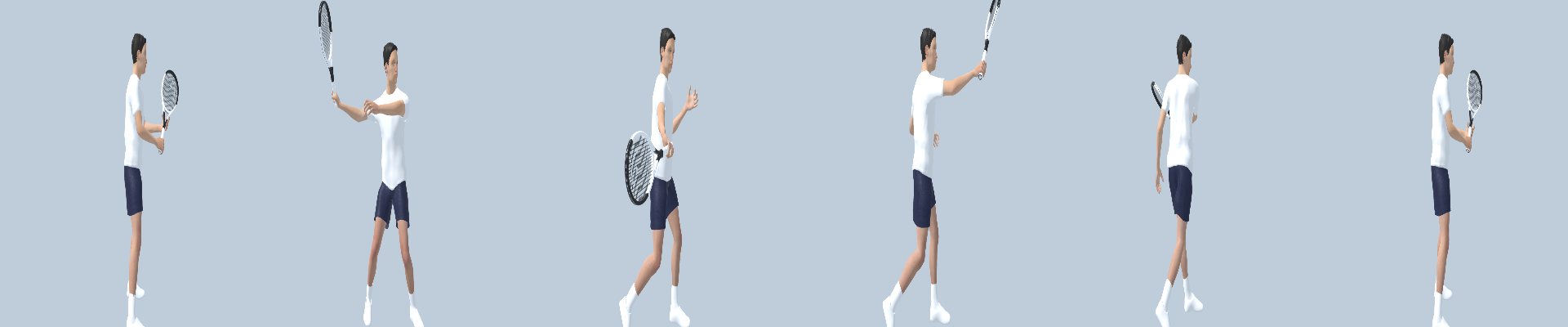
Each stroke animation has a marker named hit at the moment the racket meets the ball. For example, the forehand below hits at 0.567 s. Each stroke also has a contact point: where, relative to the player, the racket meets the ball in that animation. There are several versions for high and low balls (for example forehand up and forehand down), and the game picks the one closest to the height of the ball.
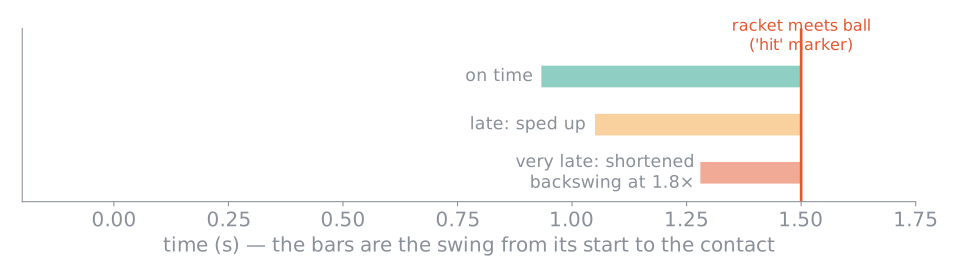
When the ball is coming, the game predicts when it reaches the contact point. The swing starts exactly so long before that as the hit marker is into the animation. If the player is late, the swing is played faster (up to 1.8 times), and if even that is not enough, it starts part of the way through, with a shortened backswing.
While the stroke plays on top, the legs keep running underneath.
scenes/player/player_animator.gd (blending, cadence, strokes and markers),
scenes/player/player.gd (when to start a swing), scenes/player/model.gd and its stroke
contact points, assets/models/player/mixamo_locomotion/mixamo_locomotion_import.gd (the import
steps above). Animators describes how to add new animations.