System Monitor

MATE System Monitor gives you a live view of what is happening on your system. You can inspect running processes, monitor hardware resource usage, and check disk utilization — all from a single window.
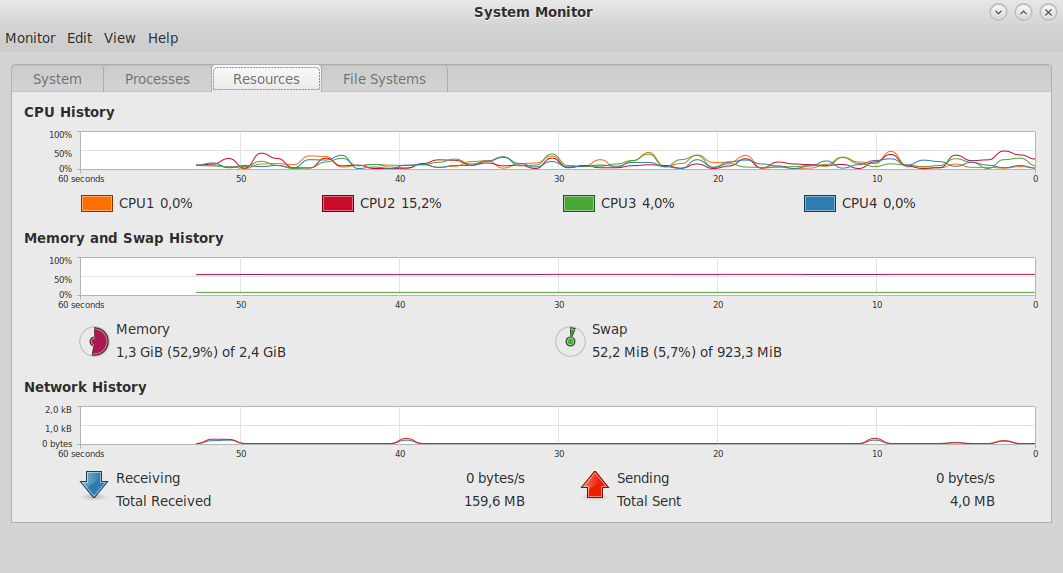
Tabs
Processes
Lists all running processes with their PID, user, CPU usage, memory usage, and command. You can:
- Send signals to processes (including SIGKILL to force-quit)
- View the full memory map of a process
- Filter by process name
- Show all processes or only your own
Resources
Displays scrolling graphs for:
- CPU — per-core or combined usage over time
- Memory and swap — current usage and history
- Network — received and sent bytes per second
File Systems
Lists mounted filesystems with device, type, mountpoint, total size, free space, and usage percentage.
System
Shows basic system information: hostname, kernel version, MATE version, installed memory, and CPU model.
Last updated on • mbkma