Caja

Caja is the official file manager for the MATE desktop environment. It lets you browse and manage files and directories, access network filesystems, and launch applications. Caja also manages the desktop — drawing the background and providing icons for drives, the trash, and desktop shortcuts.
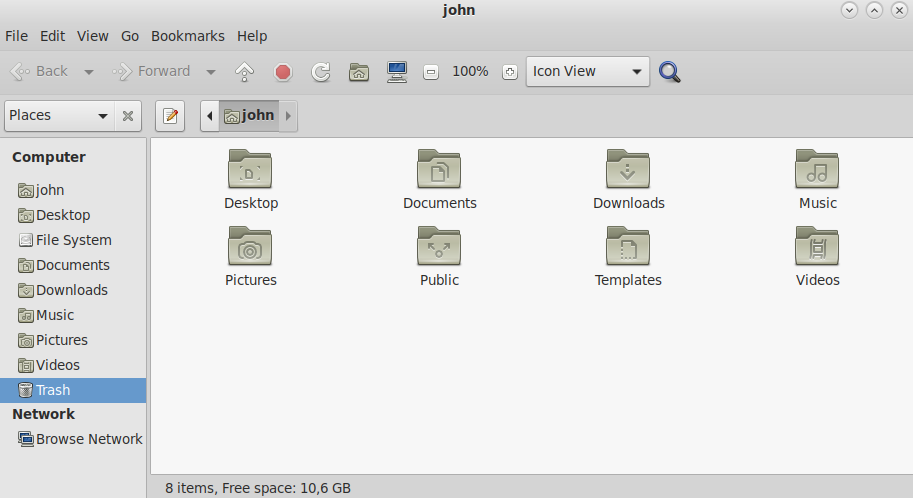
Features
- Spatial and browser modes — choose between opening each folder in its own window or navigating within a single browser-style window
- Tabbed browsing — open multiple locations in a single window
- Customizable sidebar — bookmarks, tree view, notes, and emblems
- File previews — thumbnail images, text file snippets, and audio previews in the sidebar
- Network support — connect to FTP, SFTP, SMB/Windows shares, and WebDAV locations
- Extensions — additional functionality through plugins (e.g. caja-extensions, caja-dropbox)
Keyboard Shortcuts
| Action | Shortcut |
|---|---|
| New window | Ctrl+N |
| New tab | Ctrl+T |
| Close tab | Ctrl+W |
| Go up | Alt+Up |
| Go home | Alt+Home |
| Show hidden files | Ctrl+H |
| Open location bar | Ctrl+L |
| Search | Ctrl+F |
| Rename | F2 |
| Properties | Alt+Enter |
Last updated on • mbkma